Orvala — Platform
A sales tool, not a showreel.
The 3D is what gets a buyer to stay. Everything below is what turns that visit into a reservation your team can follow up.
Selection
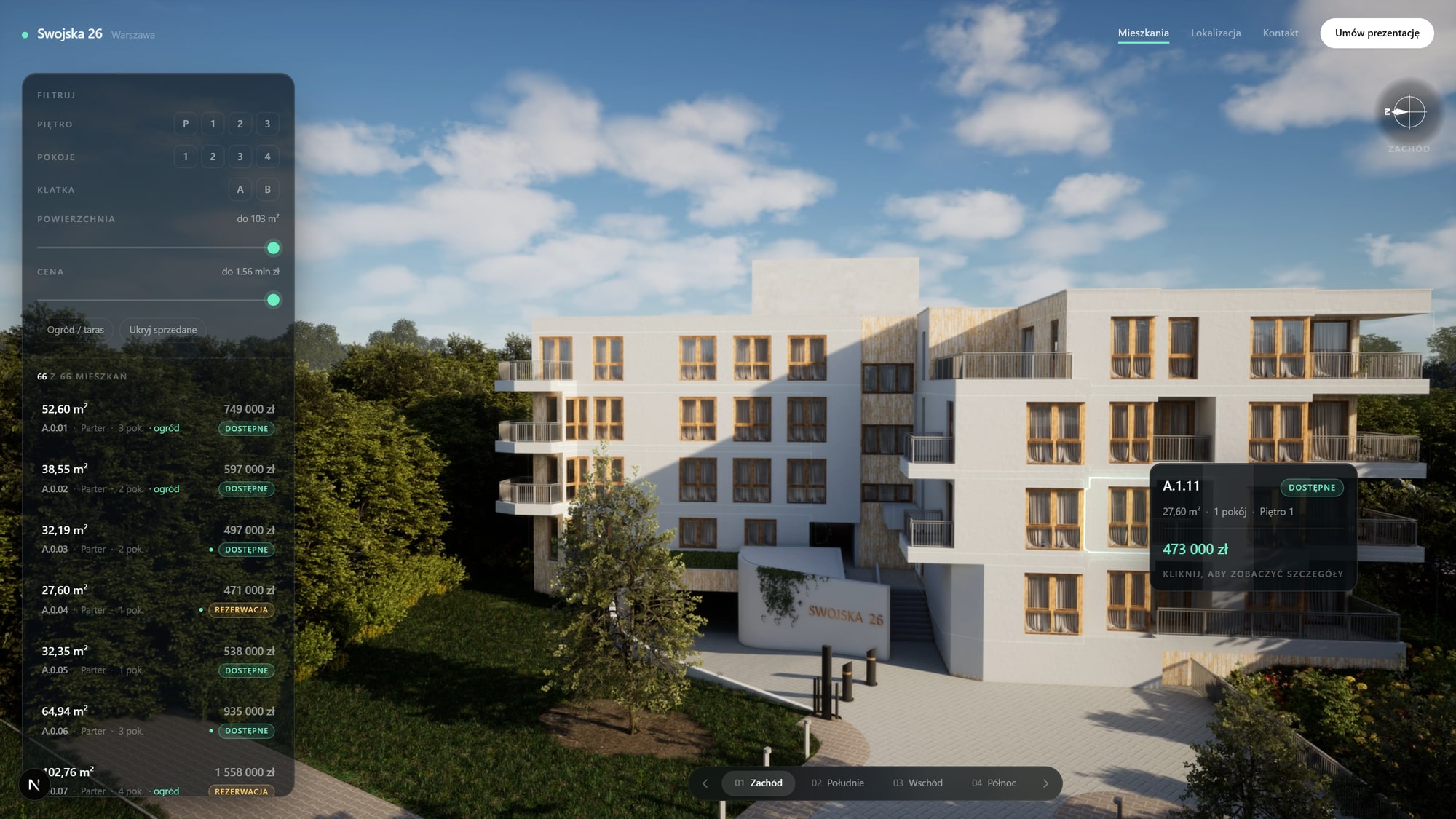
Click the building, open the apartment
Every unit is outlined on the facade and selectable. Pick one off the building or out of the list — both stay in sync, and each apartment has its own link you can send to a buyer.
Live readout
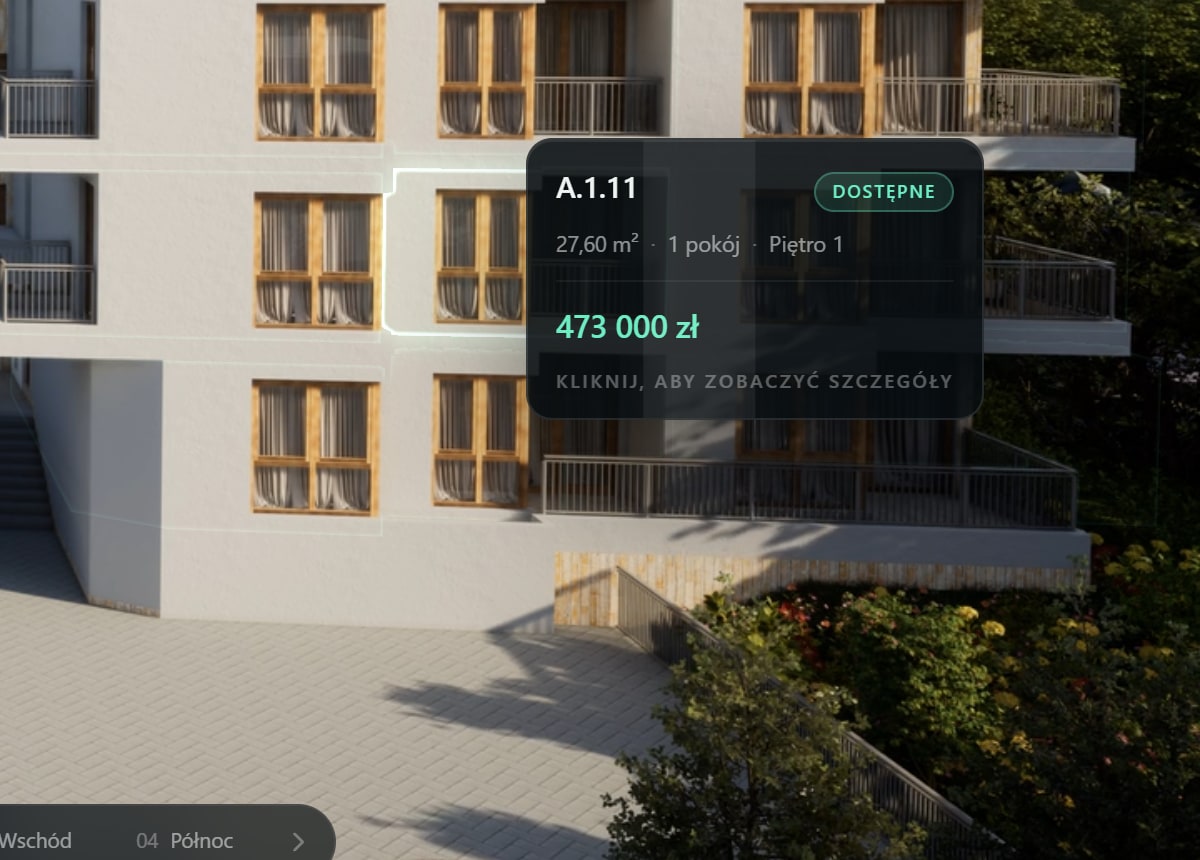
Price and spec follow the cursor
Area, rooms, floor and price appear the moment a buyer hovers a unit, before they have committed to a click.

Filters
Narrow it to what they can afford
Facade, rooms, area, price, terrace, white box. The building dims to match, so what is left is what fits.

Availability
Prices and status you control
Mark a unit reserved and it updates everywhere in seconds — list, building, brochures.

Brochures
A PDF built for one buyer
Floor plan, specification and price for the apartments that buyer actually looked at, in your branding.

Inside the unit
Virtual tours wired into the apartment
Open a unit and the 360 interiors are on the same page as its plan — and where the scheme justifies it, the real-time VR walkthrough is one more click.

Options
Specify the finish on the building itself
Where a scheme sells upgrades, the configurator sits inside the unit page. The buyer picks the specification and it arrives attached to the enquiry.

Back panel
CRM and CMS in one place, not two subscriptions
Your team runs the whole sale from one panel. Every lead carries a timeline of the apartments that person opened, filtered for and saved, so a call starts informed. The same panel edits units, prices, availability, gallery images and page copy — and it exports, or pushes into the CRM you already use.
Sales office
Works with the Wi-Fi switched off
The same experience packaged as a standalone app for the sales gallery, running offline on a touchscreen, with a pixel-streamed mode where a client wants full render quality on the stand. Site visits stop depending on the connection, and every lead captured on the stand syncs the moment it comes back.
Any phone
No app, no install
It opens in the browser your buyer already has, on the device they already own, wherever they are standing.
Offline
Runs on the stand
The sales gallery build keeps working with the connection down, so a viewing never stalls on a loading spinner.
2 weeks
Model to live site
From your existing 3D model to a published sales page, on the Launch plan.
500+
Units in one project
Multiple buildings, cores and phases carried by a single deployment.
Book a call
See your own building running like this.
Send us the development — units, floors, and whatever drawings or model you already have. We come back with what it would look like, what it would cost, and how long it would take.